
From the host of the SEO Video Show
Video SEO & YouTube SEO Tool: Optimize Your Videos for YouTube, AI, and Search Engines
Out-rank the top 3 YouTube videos for any keyword.
SEO.video reads the transcriptsWe analyze the captions of the 3 videos ranking for your keyword: what they say, when, and what they never cover. of the videos already winning your search, finds what they miss, and writes your script, title, description, chapters and tags to beat them.
Free forever plan·Pro $19/month Or $190/year. 7-day free trial, cancel anytime through PayPal.·Sign in with an email link No password: we email you a one-time sign-in link.
- Spoken
- 4×
- First at
- 0:41
- Score
- 58
- Spoken
- 7×
- First at
- 0:09
- Score
- 64
- Spoken
- 9×
- First at
- 0:03
- Score
- 71
Guessing tags won't get you to #1. Covering the topic better will.
From keyword to ranking video in 4 steps
Pick a keyword you can winOpportunity is high when people search a lot and the videos at the top are old or have few views.
Search volume, related YouTube searches and an opportunity score that flags old or low-view videos you can beat.
- video seo12.1K/mo
- youtube seo tips6.6K/mo
- how to rank videos2.4K/mo
Tear down the top 3A teardown pulls the titles, tags, stats and transcripts of the 3 videos ranking for your keyword.
We read their full transcripts: how long they are, when they first say the keyword, how often, and the topics they never cover.
Get a script that beats themPaste 2–3 of your own scripts once and every new script matches how you talk.
A hook with your keyword in the first 15 seconds, chapters, pattern interrupts and the gaps they missed, in your own voice.
0:00 If your videos aren't ranking, it's not the algorithm. It's video SEO, and I'll fix it in 7 steps.
[ON-SCREEN: 7 steps to rank #1]
0:42 Step one: say your keyword in the first 15 seconds…
[B-ROLL: YouTube search results scrolling]
Publish fully optimizedEvery video is scored against a 13-point checklist from the SEO Video Show.
Titles, a description with chapters and your brand details, tags filled to the limit, hashtags, a thumbnail, then share it everywhere.
Everything to make the better video, not just a better title.
Transcript teardownsWe analyze the captions of the top 3 videos for your keyword, line by line.
Most tools stop at titles and tags. We read what the ranking videos actually say.
- Spoken
- 4×
- First at
- 0:41
- Score
- 58
- Spoken
- 7×
- First at
- 0:09
- Score
- 64
- Spoken
- 9×
- First at
- 0:03
- Score
- 71
Rank trackingChecked weekly in YouTube's top 50 for the US (English). Pro.
Your YouTube rank for 50 keywords, every week.
AI search visibilityWe ask ChatGPT, Gemini and Perplexity your audience's questions, with live web search. Pro.
Does ChatGPT recommend you?
One-click fixesConnect your channel and SEO.video writes the fix straight to YouTube after you review it. Pro.
Apply new metadata to YouTube, with undo.
Thumbnails that get clickedUpload a photo of you and your guest; photos are deleted after 3 days.
From your own photos, checked against the top 3.
Semantic playlistsWe group videos by meaning, not just matching words, and create the playlists on YouTube when you approve.
Your videos grouped by topic, named for keywords that rank.
Interview plansHost intro, timed run of show, follow-ups, and the best Shorts moments marked.
30 minutes of questions from a guest's bio.
- 0:00Cold open hook
- 2:00Guest intro
- 5:003 core segments
- 24:00Rapid fire
- 28:00Takeaway + CTA
Scripts in your voicePaste 2–3 scripts or transcripts once; Pro uses them for every script.
Learns from your own past scripts.
Brand built inNAP = name, address and phone: consistent signals for YouTube, Google and AI search.
Your website, NAP and hashtags in every description.
Weekly report + exportsExport any script to .docx, a scrolling teleprompter, or an SRT caption file.
Monday email, Word, teleprompter, captions.
New · AI search visibility
People ask AI now. Make sure it names you.
We ask ChatGPT, Gemini and PerplexityWith live web search on, the way your audience uses them. the questions your audience asks, then show whether they mention you, link to you, and which sites they trust instead.
- ✦ Track 10 prompts, checked automatically
- ✦ See the exact sentence that mentions you
- ✦ Find the sources to get featured on next
What are the best YouTube channels to learn video SEO?
Good places to start:
Your channel — weekly live audits and a step-by-step video SEO checklist.
Another channel — keyword tools and growth tips.
Chrome extension
A live score while you type in YouTube Studio.
Scores on every YouTube search result, and one-click fixes inside Studio. Pro writes a new title, description and tags and fills them into Studio; you review and click Save.
- ✓Keyword at the start of the title
- ✓Keyword 3× in the description
- ✓Link in the first line
- ✗Timestamps from 0:00
- ✗Tags filled (400+ characters)
Share hub
One video. Every platform. Written for each.
A native post for every platform in YouTube's Share menu, a blog article from your transcript, and embed code with video schemaStructured data that helps Google show your video in search results for your web page..
Why creators switch to SEO.video
Simple pricing
Start free. Upgrade when you're ready to publish more.
Free
- ✓ 10 keyword searches / monthSearch volume, related searches and an opportunity score.
- ✓ 3 top-3 teardowns / monthTranscripts, stats and gaps of the 3 videos ranking now.
- ✓ 2 script outlines / monthA structured outline built to beat the top 3.
- ✓ 3 published-video audits / monthScore any live video and get suggested fixes.
- ✓ 1 interview plan and 1 thumbnail set / monthThumbnails include a small watermark on Free.
- ✓ Audit your latest 25 videosConnect your channel to score your newest 25 videos.
- ✓ Chrome extensionScores on YouTube search and a live score in Studio.
Pro
or $190/year (2 months free) · 7-day free trial
- ✓ 15 full scripts / month in your voiceFull script with title, description, tags, chapters and hashtags.
- ✓ One-click fixes, bulk fixes and playlistsWrites to YouTube after you review it, with one-click undo.
- ✓ Rank tracking (50) + AI visibility (10 prompts)Weekly ranks; ChatGPT, Gemini and Perplexity checks.
- ✓ 20 thumbnail sets and 15 interview plansNo watermark, and one-click set on YouTube.
- ✓ Share hub with direct postingAI posts for each platform; post to Blogger, LinkedIn and Tumblr.
- ✓ 100 keyword searches and 40 teardownsEvery month.
- ✓ Weekly report, Word and teleprompter exportsMonday email with what moved and what to do next.
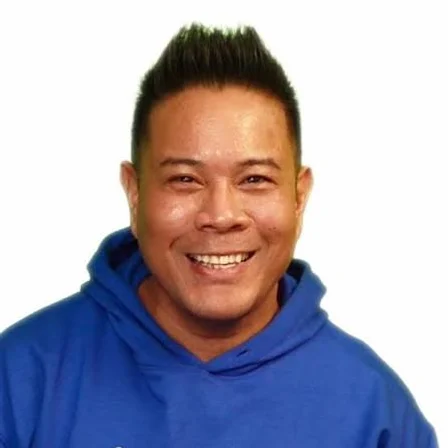
Built by a video SEO practitioner
“I built the tool I wanted for my own videos.”
I'm Paul Andre de Vera. I host the SEO Video Show, live every Friday at 12pm PT, where we test what actually moves YouTube and Google rankings. SEO.video turns that checklist into software.
Free video SEO checker
Check any keyword before you film.
See search volume, related YouTube searches and an opportunity score for your target keyword. Free, no card.You'll sign in with an email link, then land on the results for your keyword.
The video SEO guide
Learn video SEO: how to rank on YouTube, Google and AI search
Video SEO (video search engine optimization) is the work of helping search engines find, understand and rank your video content, and helping viewers choose it. This guide is the checklist we use on the SEO Video Show, built from Google's video best practices and YouTube's own explanation of how search works. SEO.video automates every step.
How search engines read your content
Search engines can't watch a video the way people do. They read the words around it: the video title, the description, the transcript, the thumbnail, the page it sits on and the structured data on your site. YouTube says its search results are ranked by relevance, engagement and quality: how well your title, description and video content match the search, how viewers respond, and how much the channel shows expertise on the topic. Video SEO optimization means making each of those signals clear. Read the full breakdown in our YouTube algorithm guide.
| Signal | Where it counts | What to do |
|---|---|---|
| Video title | YouTube, Google Search | Lead with the target keyword in words people actually search. |
| Video description | YouTube, Google Search | Answer the search in the first lines, then add links and chapters. |
| Video thumbnail | YouTube, Google, social | A clear face or object, big words, high contrast. It drives CTR. |
| Video transcript | YouTube, Google, AI search | Accurate captions let search engines read every word you say. |
| Video schema | Google Search on your site | VideoObject structured data with a name, thumbnail and upload date. |
| Video sitemaps | Google Search on your site | Lists your video pages so Google can find them faster. |
Video title: write titles people click
Your title is the strongest relevance signal you control. Put the target keyword near the start, keep the promise specific, and make it match what the video delivers. Good titles read like the answer to the search, not a list of keywords. Our free keyword research guide shows how to find the words people use, and the title generator inside SEO.video writes options that keep the keyword first and still sound human.
Descriptions, tags and timestamps
A strong video description answers the search in the first two lines, because that's what viewers see before they click “more”. Add context, links to your site and related videos, and timestamps that become chapters. YouTube creates chapters when the first timestamp is 00:00, there are at least three, and each is at least 10 seconds long. Chapters can also show as key moments in Google Search. See the description template and the chapters guide.
YouTube's help center says your title, thumbnail and description are more important for discovery than tags. Tags still help with common misspellings, so add a few, then move on. Hashtags work differently: YouTube shows up to three above the title and ignores all of them if a video has more than 60. More in our guides to tags and hashtags.
Thumbnails, CTR and watch time
Your video thumbnail and title decide your click-through rate (CTR). One clear subject, a few big words and strong contrast work on a small mobile screen as well as on a TV. After the click, watch time and audience retention show YouTube whether the video kept its promise. Open with the payoff, cut slow intros, and say your keyword in the first 15 seconds so viewers know they're in the right place. SEO.video's thumbnail studio builds options from your own photos and checks them against the top 3.
Captions, transcripts and accessibility
Accurate captions do two jobs. They improve video accessibility for viewers who are deaf, hard of hearing or watching with the sound off, and they give search engines a full video transcript to read. Edit auto-captions for names and terms of art, then publish the transcript on your site under the video player. That text is what AI search tools quote, too: see video for AI search.
Add video schema to your site
When a video lives on your own site, add VideoObject structured data with the name, description, thumbnail URL and upload date. Google uses it to show the video in results, and with Clip or SeekToAction markup it can show key moments. Make the video the main content of a page that's easy to find, and keep the thumbnail at a stable URL. Our video SEO guide walks through each property.
Submit video sitemaps
Video sitemaps list your video pages with the title, description, thumbnail and player location, so Google can discover videos it might otherwise miss. Submit the sitemap in Search Console and watch the video indexing report. If your videos only live on YouTube, you can skip this step, because YouTube handles discovery.
Show up in video search on Google
Google search shows videos in the main results, in the Videos tab and as key moments. To win there, embed the video on a page built around one topic, write supporting text that answers the question, and give each video its own URL. Optimizing videos for Google and for YouTube is mostly the same work, done in two places. It's also a reliable way to drive traffic to your site from searches that YouTube alone wouldn't reach.
YouTube SEO tips to optimize your videos
- ✦ Pick keywords you can win: real search volume, and top results that are old or have few views.
- ✦ Cover the topic better: read what the top 3 videos say and answer what they skip.
- ✦ Say the keyword early: in the first 15 seconds, then naturally throughout.
- ✦ Use chapters and playlists: they help viewers navigate and keep watching your channel.
- ✦ Reply to comments: conversation is an engagement signal and a source of your next topics.
- ✦ Refresh old uploads: better titles, descriptions and thumbnails can revive a video that stalled.
These YouTube SEO tips are the same 13-point checklist SEO.video scores on every video. For tools that help, see our YouTube SEO tools comparison and the complete YouTube SEO guide.
Promote on social media and other platforms
Video optimization doesn't stop at publish. Share each upload on social media with a post written for each network, embed it in a blog post, and send it to your email list. Early views from people who care about the topic help YouTube find the right audience. This is where video SEO meets content marketing: one video becomes posts on several platforms, an article on your site and a newsletter. The SEO.video Share hub writes all of it from your video in one click.
Measure what's working
Track your YouTube rank for each keyword every week, watch impressions, CTR and average view duration in YouTube Analytics, and check whether AI assistants recommend you. If a video ranks but doesn't get clicks, fix the title and thumbnail. If it gets clicks but loses viewers, fix the opening. Every change you make should optimize your video's visibility to the people searching for it. That's video SEO in one sentence, and it's the best digital marketing habit a creator can build.
SEO Video Show
Watch the experts do it, live every Friday
307 livestreams with SEO practitioners on AI search, technical SEO, content, links, local and YouTube. Every episode page has a summary, takeaways and key moments from the transcript.
 Micah Fisher-Kirshner 🔎 Next Evolution of SEO: Back to Basics, AI Agents & Building Your Own ToolsMicah Fisher-Kirshner
 Lou Viveros 💸 Selling Your SEO BusinessLou Viveros
 SEO Sales Tips for Selling Business Results | Blair WitkowskiBlair Witkowski
 SEO Audit Checklist: Technical and On-Page Checks | Luke HillLuke Hill
 Keyword Research Beyond Tools for AI Search | Venkata PagadalaVenkata Pagadala
 AI SEO: How to Rank in AI Search | Ross HudgensRoss Hudgens
 SEO Consulting: Brand Strength and Agency Growth | Steve TothSteve Toth
 Local SEO: AI Visibility and Citations | Jordan PearceJordan Pearce
 Google Search Console Strategies for SEO | Matthew MellingerMatthew Mellinger
 SEO Traffic Analysis: Why Organic Traffic Drops | Brian KatoBrian Kato
 Link Building and Speaking at SEO Conferences | SEO Video Show PanelNicole Grodesky and Michael Johnson
 AI Search Optimization: How to Test ChatGPT and Gemini | Sanjay SinghSanjay Singh
Episodes by topic
- AI Search & LLMs
- Technical SEO
- Content & On-Page SEO
- Links & Digital PR
- Local SEO
- YouTube & Video SEO
- Ecommerce SEO
- Agency & Career
- SEO News & Updates
Free guides
More recent livestreams
- Conference Speaker Selection and Tips | Sophie Logan
- SEO Reporting with AI and Search Console | Aaron Abbott
- Zero-Click Marketing: Influence Before the Click | Amanda Natividad
- Personal Brand Building for Agencies | Pete Kleinjan
- Technical SEO: Crawling, Rendering and Authority | John Chung
- SEO Reporting: Leading the Internal Search Narrative | Tyson Stockton
- Content Strategy for Enterprise SEO | Angela Clark Wilson
- SEO Automation: Embedding Clusters and Link Checks | Samantha Torres
- Google Maps Ranking: Near Me Local SEO Strategies | Chris Palmer
- LLM SEO: Track What AI Says About Your Brand | Bernard Huang
- GEO Metrics: How to Measure AI Search Visibility | Patrick Schofield
- SEO Ranking Drop: How to Diagnose the Real Cause | Elias Livadaras
- SEO KPIs That Win Executive Buy-In | Constance Chen
- Local SEO Audits: Entity Gaps and Content Decay | Michael Rayburn
- AI SEO: How Brands Get Cited by AI Search | Aaron Gruenke
- AI SEO Tools and Vibe SEO Pitfalls | Shaun Mitchell
- Answer Engine Optimization for Local SMBs | Shawn Davis
- Personal Branding Through Authenticity | Jim Sabellico
- Backlink Building With Web 3.0 Platforms | Matt McDermott
- Casino SEO: Ranking Online Casinos | Néstor Vázquez
- SEO Partnerships: Turning a Conference Into Revenue | Brian Hong
- SEO Conference Dallas 2026 Panel | SEO Video Show Panel
- AI Search Visibility: Entity SEO and Reddit | Krinal Mehta
- Link Building in Competitive Niches | James Norquay
- Link Exchange for Local Businesses | David Kaljic
- Answer Engine Optimization for LLM Retrieval | Sergey Lucktinov
- Local SEO Ranking Factors Reaction | Mike Merlino
- PPC for SEO: Using Paid Data for Keywords | Derek Booth
- Property Management SEO Lessons | Ryan Ricketts
- Generative Engine Optimization: State of AI Search | Andrew Yan
- B2B Content Marketing: Top-of-Funnel Still Matters | Monty Montgomery
- Technical SEO Audits with AI | John Caiozzo
- SEO Skills for the AI Era | Natasha Burtenshaw-deVries
- Jobs to Be Done Framework for Marketing | Jordan Fowler
- Fix Google Business Profile Suspension | Ben Fisher
- AI Search Visibility: Relevance Engineering | Victor Pan
- Local SEO Agency Myths Debunked | SEO Video Show Panel
- Local Citations for LLM Search | Shripad Deshmukh
- SEO Conferences vs Masterminds | Brian Kato & Holly Starks
- Semantic SEO: Embeddings and Chunking for AI | Chris Green
- LLM Optimization: AI Citations and Fan-Out Queries | Michał Suski
- Answer Engine Optimization: Beyond Keywords | Andrew Holland
- LLM SEO: How to Get Cited in AI Overviews | Josh Spilker
- AI Overviews SEO: Black Hat Tests | Holly Starks
- AI Search Optimization: Future-Proof SEO | Steve Toth
- AI SEO: Why AI Search Loves Digital PR | Jane Hunt
- Social Media SEO: Multi-Channel Search | Ray Saddiq
- Google AI Overviews Tactics | Guerin Green
- AEO 101: Answer Engine Optimization | Josh Blyskal
- SEO Course for Beginners | Ștefan Prohnițchi
- SEO Career Tips and Networking | Noah Learner
- Google Discover SEO Tactics | Brian Winum
- Search Intent and User Journeys | Grace Frohlich
- Online Reputation Management Tips | Olesia Korobka
- How to Get a Wikipedia Page | Rebecca Parson
- White Label SEO: Best Practices for Agencies | Kherk Roldan
- SEO Agency Margins: Stop Overservicing Your Clients | Alex C. Barr
- llms.txt: Guiding AI Models to Your Key Content | Jordan Pearce
- Agency Automation: Automating Repeat Work | Brian Kato
- AI SEO: Automation and Topic Maps for Search | Derek Pierce
- SEO for Agencies: Win Clients With Ranking Proof | Marcus Quinn
- Local SEO: Using People Also Ask for Topical Authority | Rabih Rizk
- Ecommerce SEO: Long-Tail Category Pages at Scale | Paul Baterina
- SEO Testing with Moon, Kyle and Demetri | SEO Video Show Panel
- SEO Content Strategy That Turns Into Revenue | Michael MacMillan
- Local SEO Tools with Cora | Ted Kubaitis
- SEO Content Strategy with the SEO Heist | Jake Ward
- How to Make Money with SEO | Jacky Chou
Video SEO questions
Do I need to connect my YouTube channel?+
No. Paste a keyword or any video link and you get results right away. Connect your channel (optional) to audit every video, apply fixes in one click and build playlists.
What do you do with my YouTube data?+
If you connect your channel, we read your videos and playlists to score them and suggest fixes. We only change your channel when you click to apply a change you've reviewed, and every change can be undone. Disconnect any time and we delete your channel data. We never sell it or use it for ads. See our Privacy Policy.
Is the free plan really free?+
Yes. 10 keyword searches, 3 top-3 teardowns, 2 script outlines, 3 video audits, 1 interview plan and 1 thumbnail set every month, plus the Chrome extension. No credit card.
Does it work for interviews and podcasts?+
Yes. Paste your guest's bio and topic to get a 30-minute question plan with the best Shorts moments marked, then make a thumbnail with both of your photos.
Can it tell me if ChatGPT recommends me?+
Yes, on Pro. Add the questions your audience asks and we check ChatGPT, Gemini and Perplexity with live web search, show whether they mention or link to you, and which sites they cite instead.
How is this different from tag tools?+
Tag tools look at metadata. SEO.video reads what the winning videos actually say, then writes a script and metadata designed to cover more, say the keyword at the right moments, and score higher on the checklist.
Will the scripts sound like AI?+
Pro scripts match your voice from samples of your own scripts or transcripts, and they're written for speaking: short sentences, plain words.
Can I cancel anytime?+
Yes. Pro is billed through PayPal (card, PayPal, Venmo or Pay Later) and you can cancel in one click from the billing page.
What is video SEO?+
Video SEO (video search engine optimization) is the practice of helping search engines and YouTube find, understand and rank your videos, and helping viewers choose them. It covers the video title, description, transcript and captions, thumbnail, chapters, video schema and video sitemaps on your site, and how viewers respond with watch time and engagement.
How do I optimize a video for YouTube search?+
Pick a keyword with real search volume that you can win, put it at the start of your title and in the first lines of your description, say it in the first 15 seconds, add chapters with timestamps, upload accurate captions and design a thumbnail that earns the click. YouTube ranks search results by relevance, engagement and quality, so the video itself has to deliver on the title.
How do I get my videos into Google search results?+
Embed each video on its own page on your site where it's the main content, add VideoObject structured data (video schema) with a title, description, thumbnail and upload date, submit a video sitemap in Search Console, and keep the thumbnail at a stable URL. Chapters can also appear as key moments in Google Search.
Do tags still matter for YouTube?+
A little. YouTube says the title, thumbnail and description are more important for discovery, and tags mainly help with common misspellings. SEO.video suggests a short set of tags and spends most of its effort on the title, description and script.
Do captions and transcripts help video SEO?+
Yes. Accurate captions improve video accessibility for viewers and give search engines and AI assistants the full text of what you say. Edit auto-captions for names and technical terms, and publish the video transcript on your site under the player.
What is a good click-through rate (CTR) on YouTube?+
It depends on your niche and where impressions come from, so compare each video with your own channel average in YouTube Analytics. If a video gets impressions but few clicks, test a new title and thumbnail; if it gets clicks but loses viewers early, fix the opening to improve audience retention.
Is there a free video SEO tool?+
Yes. SEO.video's free plan includes keyword research, top-3 teardowns, script outlines, video audits, a thumbnail set and the Chrome extension, which shows a live SEO score in YouTube Studio. Use the free checker above to research your first keyword.
Who is behind SEO.video?+
Paul Andre de Vera, host of the SEO Video Show, live every Friday at 12pm PT. The checklist inside the app is the one used on the show.
Your next video can be the one at the top.
Run your first top-3 teardown in under a minute. No credit card, no password.
Start free